📌 Quick facts: Most North Carolina cities and counties now take building permit applications through online portals. Raleigh runs its Permit and Development Portal; Charlotte and Mecklenburg County split duties between two systems. You typically create an account, upload plans, pay by card, and schedule inspections from home. Simple approvals usually come back in days, while bigger projects often take weeks.
A North Carolina online permit portal is the website your city or county uses to accept permit applications digitally, route them through plan review, collect fees, and issue approvals without a trip to the counter. You upload drawings, answer scope questions, pay by card, and watch each review step move. Building permits in most jurisdictions typically run $300 to $2,000 depending on project value, and the online path is usually the fastest way through.
One catch, though. Every jurisdiction buys different software, so the exact clicks vary from town to town. This guide walks you through the parts that stay the same no matter which system your local office runs.
Table of Contents
- 1How a North Carolina Online Permit Portal Works
- 2Who Runs the Portals: Cities, Counties, and the State
- 3What You Can Apply For Online
- 4Documents to Prepare Before You Start
- 5Portal Fees: What You Will Pay and When
- 6Plan Review, Corrections, and Resubmittals
- 7Scheduling and Passing Inspections Online
- 8When You Still Have to Apply in Person
- 9Common Online Application Mistakes, and Fixes
- 10Your Pre-Submit Checklist
How a North Carolina Online Permit Portal Works
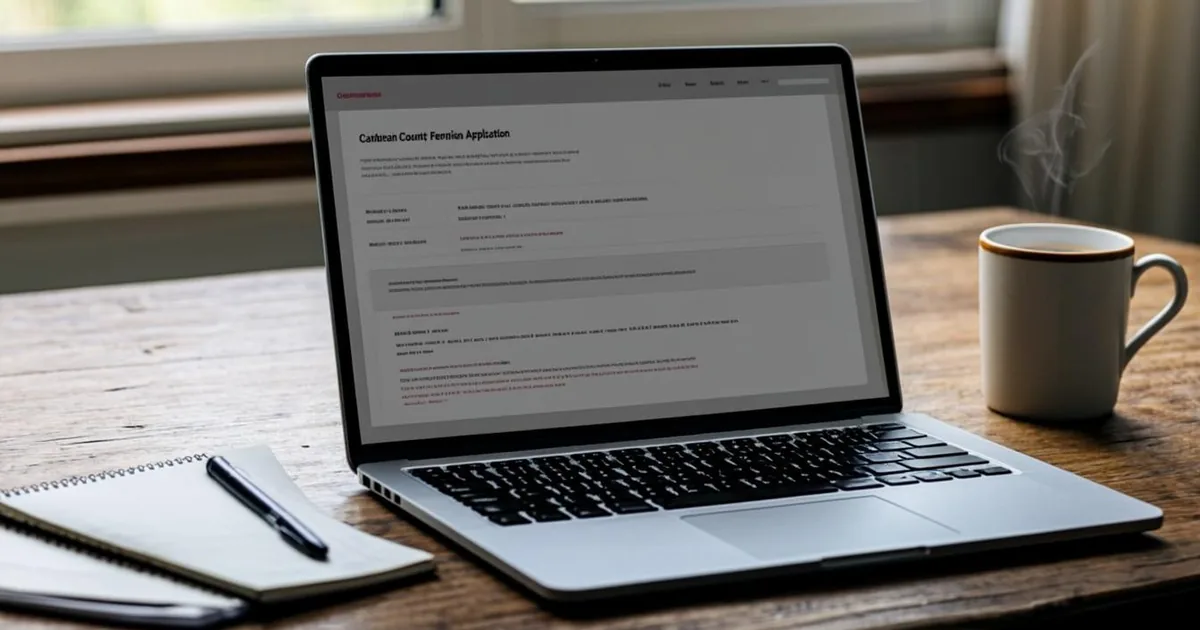
Think of the portal as the permit office's front desk, minus the counter. You register with an email and password, pick an application type, and fill in project details. Then you attach PDFs of your plans, submit, and wait for a reviewer to pick it up. Status updates show up in your dashboard, so you stop guessing where the file sits.
Raleigh's Permit and Development Portal is a good example of the pattern. The city uses it for applications, plan review comments, fee payments, and inspection scheduling, which means nearly the whole permit life cycle happens in one login. You can see the same model across the state, even when the software behind it differs. If you want the official entry point, Raleigh keeps its permits hub at raleighnc.gov/permits.
Portals also keep a record. Every comment, resubmittal, and payment stamps a timestamp, which matters if a question comes up years later when you sell. Paper files get lost. Portal histories rarely do.
Under the hood, a handful of software families power most of the state. Accela, CityView, OpenGov, and similar platforms show up again and again in North Carolina jurisdictions, sometimes branded with local names. That repetition helps you. Learn one system's rhythm and the next city's portal feels familiar, because the intake questions, attachment steps, and status labels usually follow the same shape even when the logos differ.
Intake comes first, and it is worth understanding. Before any reviewer reads your drawings, an intake technician checks that the application type fits, attachments open, and required fields have answers. Problems here bounce back quickly, usually within a short note the same week. Fix the flag, resubmit, and you are in the queue. A clean intake is the cheapest speed boost you control.
Who Runs the Portals: Cities, Counties, and the State
Here is where North Carolina trips up newcomers. Permit authority sits with local governments, so the portal you use depends on your property's address, not on any single state website. A city may run its own system for land development while the county handles building and trade permits. Charlotte works exactly that way: the city's Growth and Development portal covers its side of the process, and you can search projects and permits on the city's site before you apply.
The state's role is different. The North Carolina Building Code Council writes the state building codes, and the Engineering Section of the Office of State Fire Marshal interprets and enforces them through local inspection departments. You can read the state's code framework on the NC Office of State Fire Marshal codes page. Your portal application is essentially a promise that your project meets those codes, and the local inspector is the person who checks.
Code editions move on a schedule too. North Carolina updates its Residential Code on a roughly six-year adoption cycle, and the current editions are viewable through the ICC's North Carolina code library. You rarely need to read the code itself, but knowing the edition helps when a reviewer cites a section number in a correction comment. For the full statewide picture, our guide to North Carolina building permits covers the Charlotte, Raleigh, and Durham offices in depth.
| Jurisdiction | Portal name | Best for |
|---|---|---|
| Raleigh | Permit and Development Portal | City permits, reviews, inspections |
| Charlotte | Charlotte Growth and Development | Land development, project searches |
| Mecklenburg County | WebPermit / AccelaMeck | Building and trade permits |
| Orange County | Permitting Information Portal | County applications and status |
What You Can Apply For Online
Most everyday residential scopes now live inside the portals. Additions, garages, decks, accessory dwelling units, water heaters, electrical service changes, and mechanical swaps are all common online application types. Mecklenburg County's AccelaMeck system, for instance, explicitly covers single-family and two-family projects, accessory dwelling units, garages, and residential master plans, per the county's AccelaMeck customer tools page. If your project fits a standard category, odds are good you can apply without printing anything.
Some work still wanders off the digital path. Projects touching historic districts often need a separate certificate of appropriateness, and some zoning questions get routed to planning staff outside the building-permit workflow. Large subdivisions and commercial shells usually go through a longer plan review with in-person meetings. Homeowners usually discover this only after starting an application, so a quick phone call to the permit office before you upload anything can save a week.
- Residential additions and sunrooms
- Detached garages, carports, and sheds above exemption limits
- Accessory dwelling units
- Electrical, mechanical, and plumbing trade work
- Driveways and other site work with drainage implications
Trade permits deserve a note. Electrical, mechanical, and plumbing scopes usually ride along with the building application, and in most jurisdictions the licensed trade contractor pulls those sub-permits under their own credentials. If you hire out the work, ask who is pulling what before you submit the building piece, because a mismatch between applicant names can stall issuance. Coordinating this early typically costs nothing and saves a round of emails.
Documents to Prepare Before You Start
The upload step is where applications stall. Reviewers reject incomplete packages, and every rejection costs you days. Gather everything first, scan it cleanly, and name the files clearly. A tidy package typically moves through intake without a single correction email.
Most residential applications want the same core set. You will usually need a scaled site plan showing the property lines and the project footprint, floor plans of the affected area, and elevations for anything that changes the exterior. Expect to enter your contractor's information and license number, or to declare yourself the homeowner doing the work where that is allowed. A current survey or plat often helps, and if yours is missing or stale, our guide to getting a property line survey walks through the options.
- Scaled site plan with setbacks labeled
- Floor plans and elevations, to scale
- Contractor license number and contact details
- Scope of work description, plain language is fine
- Survey or plat of the lot, if available
File setup matters more than you would think. Reviewers open dozens of packages a day, and a single combined PDF with a bookmarked table of contents usually earns faster review than a scatter of phone photos. Name files plainly, like "site-plan.pdf" and "floor-plan.pdf". Small habits, faster reviews.
You do not always need an architect, either. North Carolina generally lets homeowners prepare drawings for their own single-family projects, though complex structural work usually calls for a licensed design professional, and some jurisdictions want sealed plans for certain scopes. If your project is a straightforward deck or shed, clean hand drawings at a stated scale are often acceptable. When in doubt, email the permit office and ask before paying a designer.
Portal Fees: What You Will Pay and When
Permit pricing follows the project, not the application method. Statewide, building permit costs typically fall between $300 and $2,000, which works out to roughly 0.5% to 2% of total project value depending on scope and the local fee schedule. Small trade permits, like a water heater swap, usually sit at the low end. Whole additions and new construction push toward the top.
Fees usually split into a plan review portion paid up front and a permit portion paid at issuance, and portals break this out automatically. You can typically pay by card, and some systems add a small processing charge for the convenience. Our breakdown of residential permit fees shows the common line items, and the state-by-state view in building permit costs by state puts North Carolina in context.
Want the actual numbers for your address? Many jurisdictions post their fee schedules publicly. Orange County, for example, publishes rates and application status through its Permitting Information Portal. Look for a "fees" or "fee schedule" link inside your portal before you pay, because estimators on third-party sites often run stale.
Scope changes mid-project? Permits can usually be amended through the same portal record. You submit a description of the change, attach revised sheets, and pay any difference in fee that the new valuation triggers. Amending beats applying twice, and reviewers can see the original approval context. Tell your contractor to flag changes early, because unpermitted deviations surface at inspection and put the whole job behind.
Plan Review, Corrections, and Resubmittals
After intake, your application moves to a plan reviewer. Simple scopes like a water heater or a fence usually clear review in days, while additions and new homes often take several weeks, and workload swings with the construction season. Our guide to permit timelines breaks down what drives the wait. The portal shows which department holds your file at any moment.
Corrections arrive as comments attached to your application. Do not take them personally. A reviewer asking for a clearer beam size or a missing setback dimension is normal, and the fix is usually a small drawing revision. You revise, upload the new sheet, and resubmit the same application rather than starting over.
Respond fast, because many review clocks restart when a package goes back to the applicant. A correction that sits unanswered for a month can quietly drop your project behind newer submissions. Check the portal twice a week. It takes a minute and prevents the most common self-inflicted delay.
Bigger projects sometimes route to third-party plan review, and the portal still tracks it. You will see the same status labels even when an outside firm holds the file. Do not panic if your timeline shows an unfamiliar reviewer name. Turnaround targets are usually posted on the jurisdiction's website, and the corrections you receive carry the same weight as in-house comments, so answer them the same way.
Scheduling and Passing Inspections Online
Once your permit issues, the portal becomes your inspection desk. You pick a date from available slots, usually for next business day or a little later depending on demand, and the results post to your account after the inspector's visit. Most systems let you attach notes and photos for the inspector, which helps on sites with locked gates or tricky access.
Pass the sequence in order. Rough-in inspections happen before you close up walls, and the final inspection closes out the permit. Fail an inspection and the portal lists the reasons, you fix them, and you rebook, typically paying a modest re-inspection fee where the local schedule charges one. Keep the approved plans on site during the visit, printed or on a phone, since inspectors usually ask.
Closeout matters more than homeowners expect. An open permit follows the property, and lenders and buyers notice it during resale. When the final posts as approved, download the certificate or completion notice and file it with your closing documents. Two minutes of archiving, years of quiet.
A typical residential job stacks several inspection types. Building, electrical, mechanical, plumbing, and insulation each book separately in most systems, and the portal groups them on one screen so you can batch requests where the office allows it. Ask your contractor which trades are ready before you book, because an inspector arriving to a half-finished rough-in burns a slot and often a re-inspection fee.
When You Still Have to Apply in Person
Digital is the default now, but not everywhere. Some smaller towns and rural counties still take paper applications or email submissions, and a few run hybrid systems where the application starts online but originals or notarized forms follow by mail. Historic district work typically adds a review layer that meets in person, and certain zoning appeals or variances require public hearings with printed exhibits.
The fix is simple: confirm the workflow on your jurisdiction's website before you prepare anything. A two-minute check of the permit office's page tells you whether your scope is portal-eligible. If it is not, ask staff which counter hours and forms apply. They would rather answer early than untangle a misfiled application later.
Hybrid towns deserve patience rather than workarounds. If your jurisdiction still runs paper, ask whether scans can be emailed for pre-screening, because some offices will flag obvious gaps before you print anything. Staff would rather catch a missing setback note up front than process a rejection later. The permit timeline barely changes when the package is complete, even when the delivery method is old-fashioned.
Common Online Application Mistakes, and Fixes
Most portal rejections trace back to a handful of repeat errors. None are hard to avoid once you know them. Watch for these.
- Uploading plans without a scale, so reviewers cannot verify dimensions
- Leaving the contractor license field blank or mistyped
- Describing the scope vaguely, like "remodel", instead of listing the work
- Applying under the wrong category, then having the file rerouted and delayed
- Ignoring correction comments until the application goes dormant
- Paying the fee before the scope was corrected, then needing a refund path
One more pattern deserves its own line. Homeowners sometimes apply for a permit their contractor should pull, especially for trade work, then discover the utility will not release connection until the licensed contractor of record signs. Ask who pulls the permit before you pay. On most jobs the contractor does it as a matter of routine, and the portal account just needs to reference them.
Two of these deserve a closer look. Wrong-category applications are the sneakiest, because the portal accepts your payment and then quietly reroutes the file, losing a week or two while it sits in the wrong queue. Dormant applications are the costlier trap. Stale files often get closed after a set period, which means fresh fees and a new queue position, so set calendar reminders the day you submit.
Your Pre-Submit Checklist
Before you click submit, run this quick pass. It mirrors what intake staff check first, and it prevents the most common bounce-backs.
- Correct jurisdiction and correct application type
- Site plan with property lines, setbacks, and footprint labeled
- Complete drawings, each sheet readable and to scale
- Contractor license entered, or homeowner declaration where allowed
- Scope description matching the drawings
- Fees understood, including the plan review versus permit split
Then submit and set a reminder to check the dashboard a couple of times a week. Portal layouts change often, so treat this walkthrough as a general map as of October 2026 and lean on your jurisdiction's help pages for the exact buttons. The system rewards complete, legible packages with short, predictable reviews, and once you have done it once, the next permit goes faster.
Save every confirmation email, too. Portal records are strong, but a personal folder with your submittal receipts, approval notices, and inspection certificates makes resale and insurance questions painless. Buyer's agents ask for permit paperwork more often than you would think, and the sellers who have it handy close cleaner.